At a glance
| Subject | What you get | What you don’t get |
|---|---|---|
| Moon | A sharp disc with the large craters | Detail below about 80 km |
| Planets | Bright points and, for Jupiter, its moons in a row | Bands and fine detail: that takes a telescope |
| Starry sky | Whole constellations, many more stars than a single shot | The color and depth of magazine photos |
| Galaxies and nebulae | The core and a halo, under a genuinely dark sky | Spiral arms, filaments, color |
| Star trails | Arcs of 15 degrees for every hour of session | Long arcs in a short time: it takes hours |
| City scenes | Less noise on streets and monuments | Much more than the phone’s Night mode already gives |
Almost everything depends on two things the phone doesn’t control: how dark the sky is and how still the tripod is. How many frames to stack, and why, is covered in the guide on how many frames to stack.
The Moon
It is the most generous subject: bright, big and almost always up. It spans half a degree, about 1,900 arcseconds. With the 77 mm equivalent telephoto (the one the app labels “77mm”) on a 12-megapixel sensor, one pixel covers about 23 arcseconds and the lunar disc takes up about 80 pixels.
How much detail those pixels hold is decided by the physics of the lens. With a diameter of 3 or 4 millimeters, diffraction limits the resolution to 35-45 arcseconds, which is 65-85 kilometers on the Moon. A crater like Copernicus (93 km) is borderline recognizable, one of 30 km is not, and no stacking adds what the optics can’t see.
AstroStackerPro’s Moon preset shoots 60 frames at 1/2000 s and ISO 50 and switches to the telephoto by itself. The exposure is set for the lunar disc, a subject in full sunlight: “the sky around it stays dark, that’s intended.” Noise matters little here. The problem is air turbulence, which blurs every frame differently. So the app measures each frame’s sharpness, keeps the sharpest 30% (18 of 60), aligns them and averages them.
One caveat: for a photo of the whole Moon, taken once, the phone already does fine on its own. A dedicated preset gives you control: a fixed exposure, the telephoto, a choice of the best frames.
Planets
At most, Jupiter measures about 50 arcseconds. At 23 arcseconds per pixel that is two or three pixels: a tiny disc, not bands. Its four largest moons, on the other hand, show up as dots next to the disc. The preset’s text is frank about it: “The planet’s disc stays a few pixels wide: that’s the limit of a phone’s optics, not of the exposure.”
The Jupiter and planets preset uses 50 frames at 1/60 s and ISO 400 on the telephoto, keeps the sharpest 30% (15 frames) and averages them as it does for the Moon. Venus, Mars and Saturn stay points, or discs of two pixels at best. Seeing Jupiter’s bands or Saturn’s rings takes a telescope.
The starry sky
The wide lens (24 mm equivalent) covers about 70 degrees across: whole constellations fit, and the band of the Milky Way if the sky shows it. The Starry sky preset works with 90 exposures of up to 3 seconds at ISO 2000. Each exposure is short so the stars don’t stretch, and sigma-clip stacking brings them out of the noise without washing out the sky background. Satellites and planes crossing the field are rejected.
What you see depends on the sky. In a city, Bortle class 8, the background is bright and only the brightest stars remain. Under a genuinely dark sky many more stars appear, and the Milky Way may show as a paler band. A real session takes, according to the app, between 6 and 9 minutes depending on the phone.
Galaxies and nebulae
Here the app speaks plainly. The Deep sky preset’s text says: “On a phone you get the core and a halo, not the magazine shot: the sky makes the difference, not the frame count.” And it asks for “a genuinely dark sky (Bortle ≤4)” and a tripod.
A few numbers. Andromeda (M31) measures about 3 by 1 degrees: with a 24 mm equivalent that is 180 × 55 pixels. The Orion Nebula (M42) is one degree wide, about 60 pixels. The preset takes 200 exposures of 1 second at ISO 6400, a little over three minutes of light in total, where an amateur with a tracked telescope gathers hours. With three minutes of light and a lens a few millimeters wide, the core and the halo are what emerge, not spiral arms or filaments.
Star trails
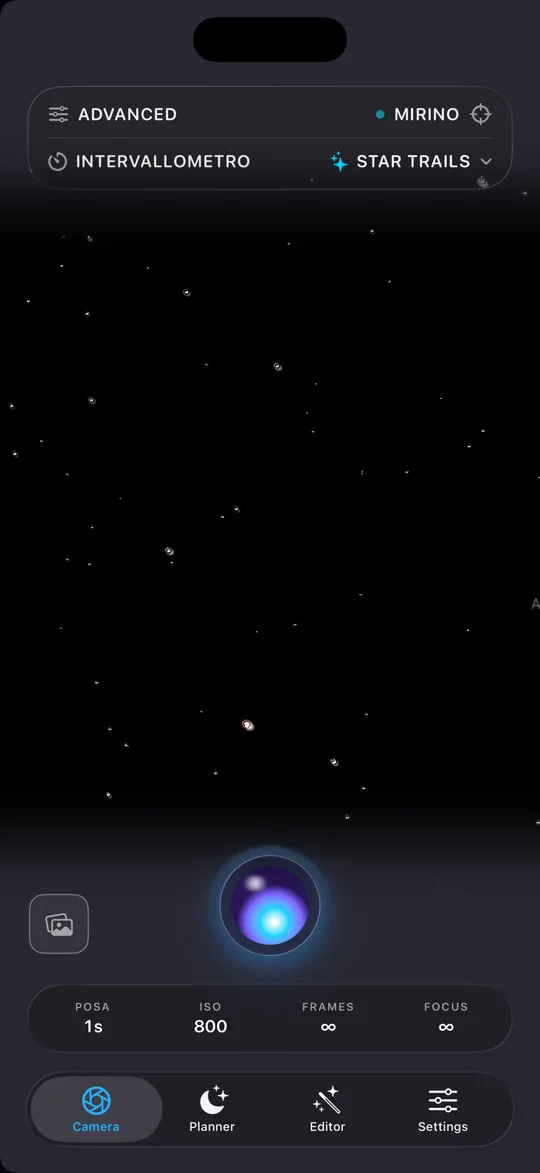
You need a still tripod and patience, and the physics is simple: the sky turns 15 degrees an hour. A star near the celestial equator covers about a fifth of a phone’s wide-angle field in an hour. Long arcs take hours: two hours is 30 degrees.
The Star Trails preset shoots exposures of about 1 second at ISO 800 with no frame limit and, at each pixel, keeps the brightest value across all frames, so each star leaves its own arc. It doesn’t align, because the stars have to move. It uses the wide lens, and not for looks: with the telephoto, which covers about 30 degrees, a star would leave the frame in two hours. It stops by itself, saving, if the battery drops below 10%, less than 500 MB of storage is left or the phone gets too hot.
City scenes
The Illuminated night preset (on iPhone; it is called “Lit night scene” in the app’s English interface) is for “what’s already lit at night: streets, monuments, pools, lighthouses.” It uses 12 frames at 1/15 s and ISO 400: the short exposure keeps the lights from blowing out, and 12 averaged frames give about 3.5 times the signal-to-noise ratio of one. The preset’s text warns: “Not a sky preset: point it at stars and they’ll stay invisible.”
The app admits as much in its own introduction: “For the Moon or city scenes, the Photos app’s Night mode is already excellent.” And it invites you to use AstroStackerPro “where stacking truly makes the difference”: under a dark sky, on a tripod, with faint subjects such as stars and galaxies.
What to shoot tonight
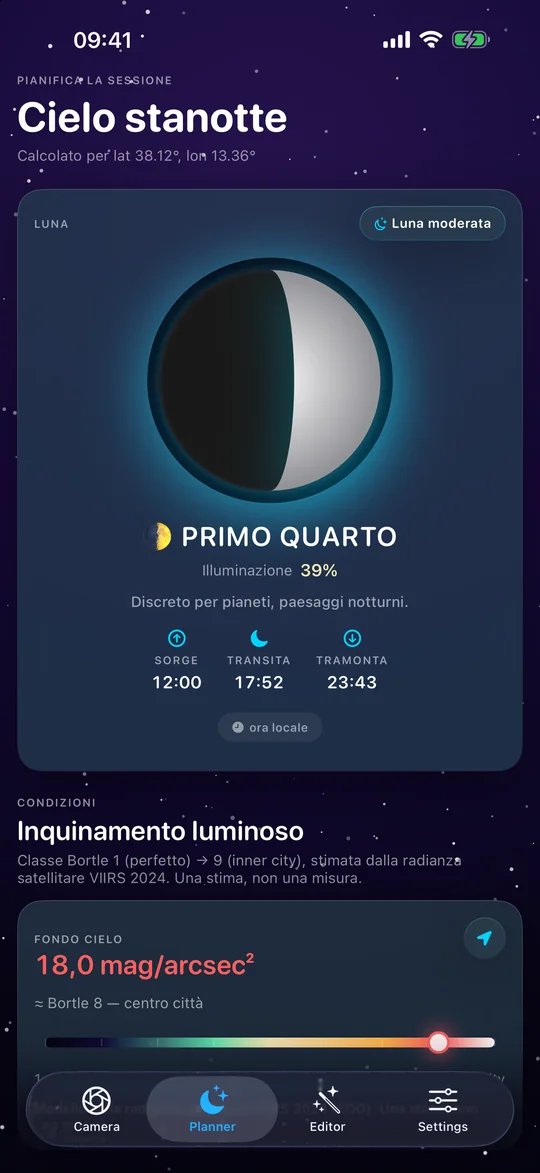
The app’s Planner is there so you don’t head out into the dark with the wrong subject. It shows the Moon (phase, illumination, rise, transit and set times), estimates the Bortle class of your location, flags the meteor showers that are active and, under “What to watch tonight,” lists the evening’s planets and deep-sky objects. On iPhone that means 110 Messier objects and 253 NGC and IC objects down to magnitude 9. It doesn’t use the network: every calculation happens on the phone.
A few rules the Planner makes practical. A Moon past first quarter lights up the sky: for galaxies and nebulae, pick a night with no Moon, or wait until it has set. Planets and the starry sky tolerate moonlight better. And your home sky matters more than the evening: the estimated Bortle class tells you whether a drive to a darker spot is worth it.
Sizes in pixels are for a 12-megapixel sensor with a 24 mm equivalent lens (wide) and a 77 mm equivalent lens (telephoto). Real phones vary with model and zoom. The app values are those of the iPhone presets, version 1.1.0. The Android edition is in closed testing and is being brought in line: its values may differ.